Quick Play runs itself while you're open
Already have a trivia night? Keep it. Always-on trivia keeps guests playing every day and builds a bigger crowd for your trivia night.
Turn it on once. The TV shows the board and a QR code; the first scan starts a 45-second countdown and the round begins. Rounds roll through your lineup of categories, pause when the room empties, and start again at the next scan. Unlimited during your open hours.
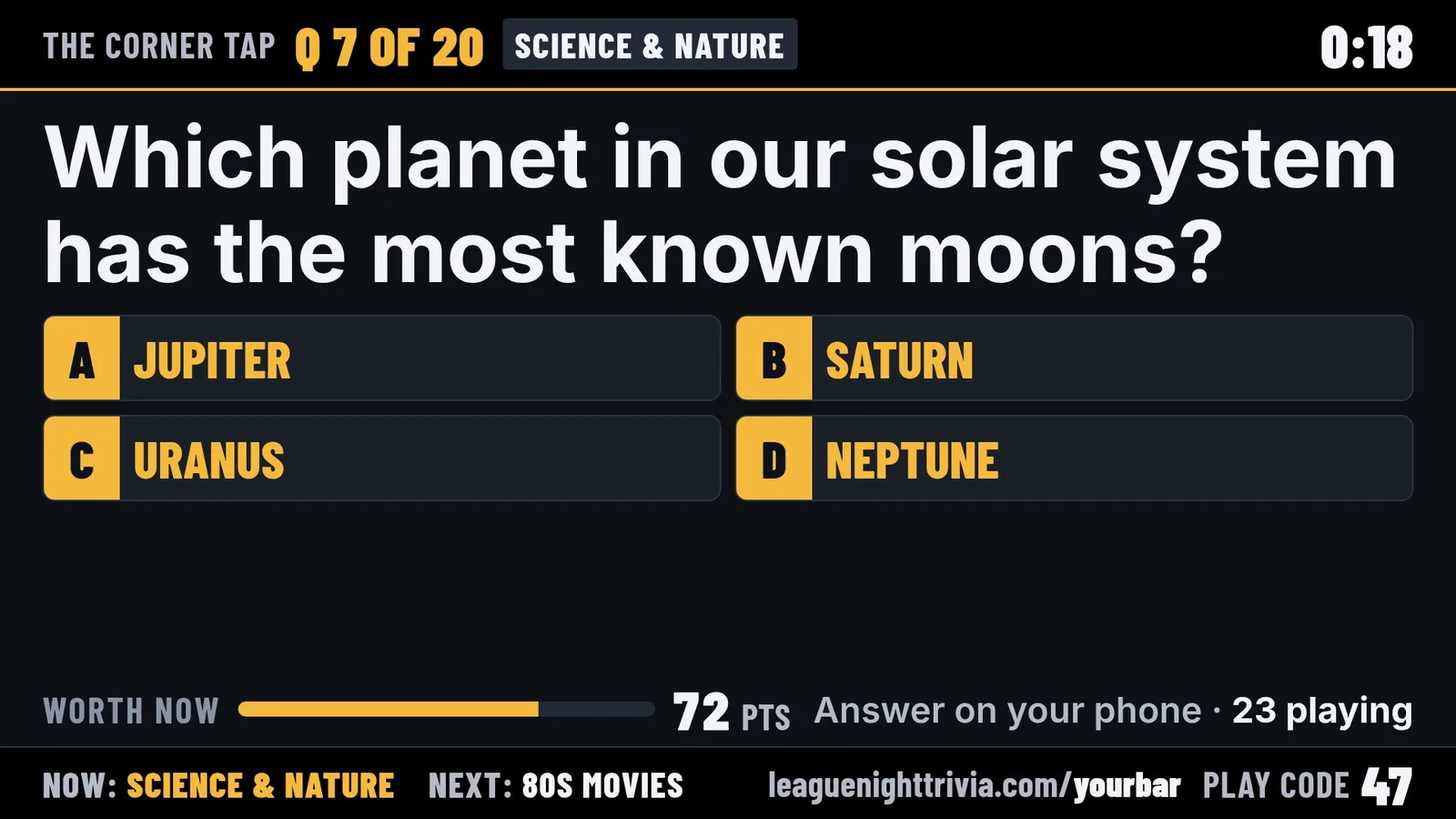
- Your lineup, your order. Pick the categories and their order; shuffle them or keep them fixed. A category that runs dry is skipped, never stalls a round.
- A demo while nobody's playing. Between players the TV runs a sample question so passers-by see how it works. A scan starts a real round at once.
- A "Did you know" on every answer. One checked fact under each reveal, readable from across the bar.
Quick Play recruits your trivia night
After a Quick Play round, the phone asks guests to your next Game Night. One tap and they're in.
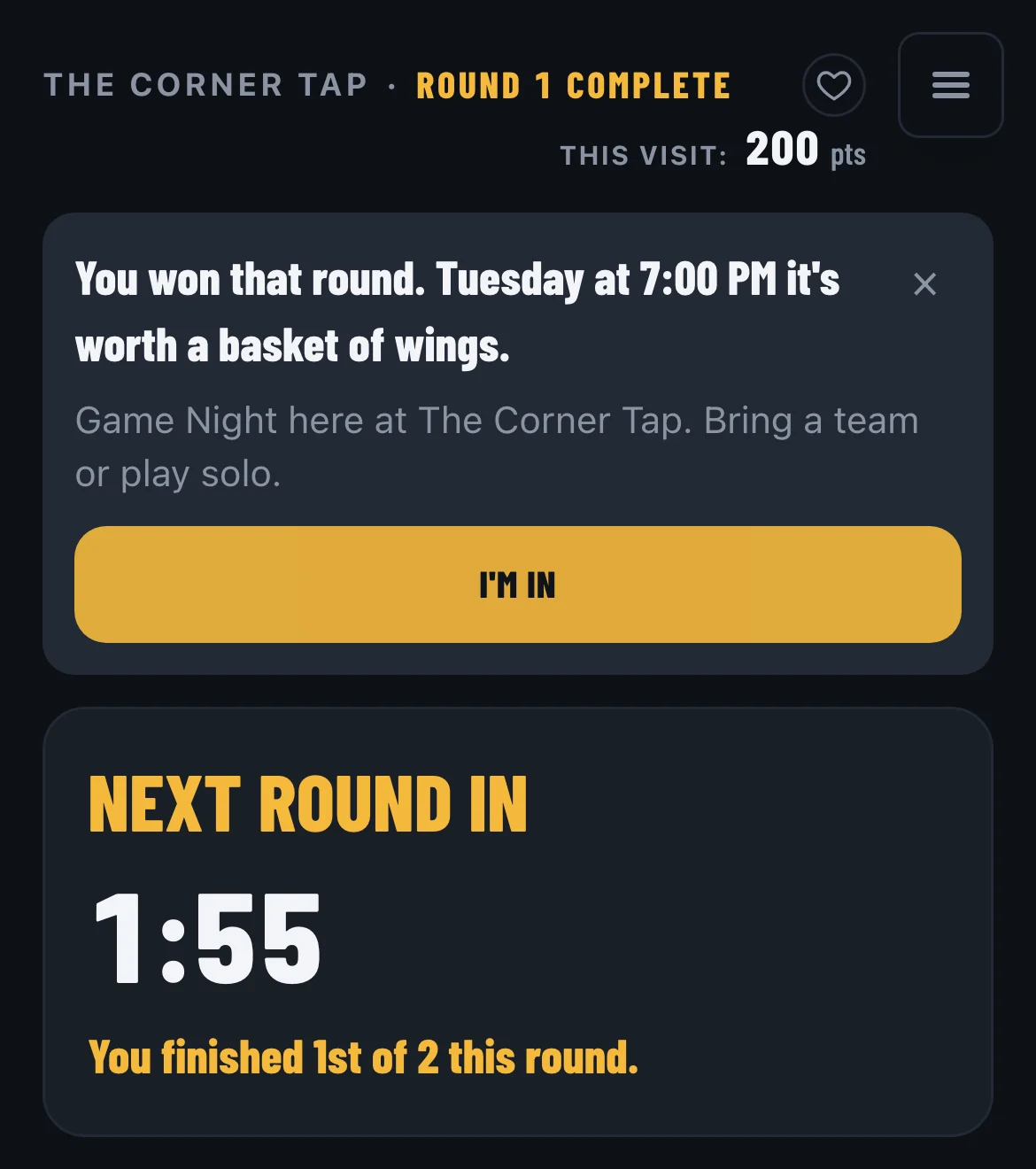
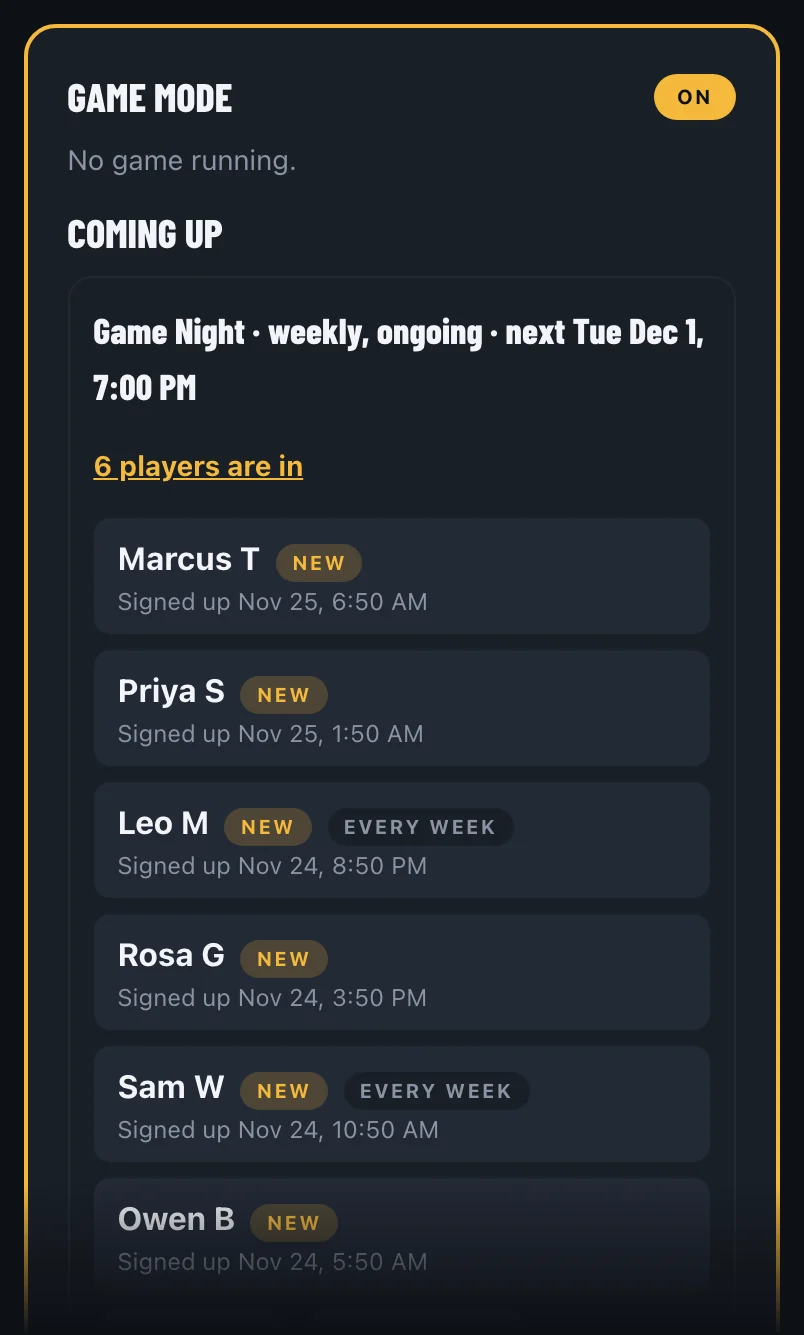
- One tap on the phone. Guests already playing on your TVs tap I'm in for the weekly night.
- Reminders go out for you. An email the day before and 3 hours before.
- You see who's in. The count and the names for each night, on your dashboard.
Game Night: a scheduled event with a winner
Set the night days ahead and it shows on your dashboard. The lobby opens on its own, counts down on the TV, and teaches the three join steps while the room fills. Teams form from phones, rounds play through, and the night ends with a winner ceremony on the big screen.
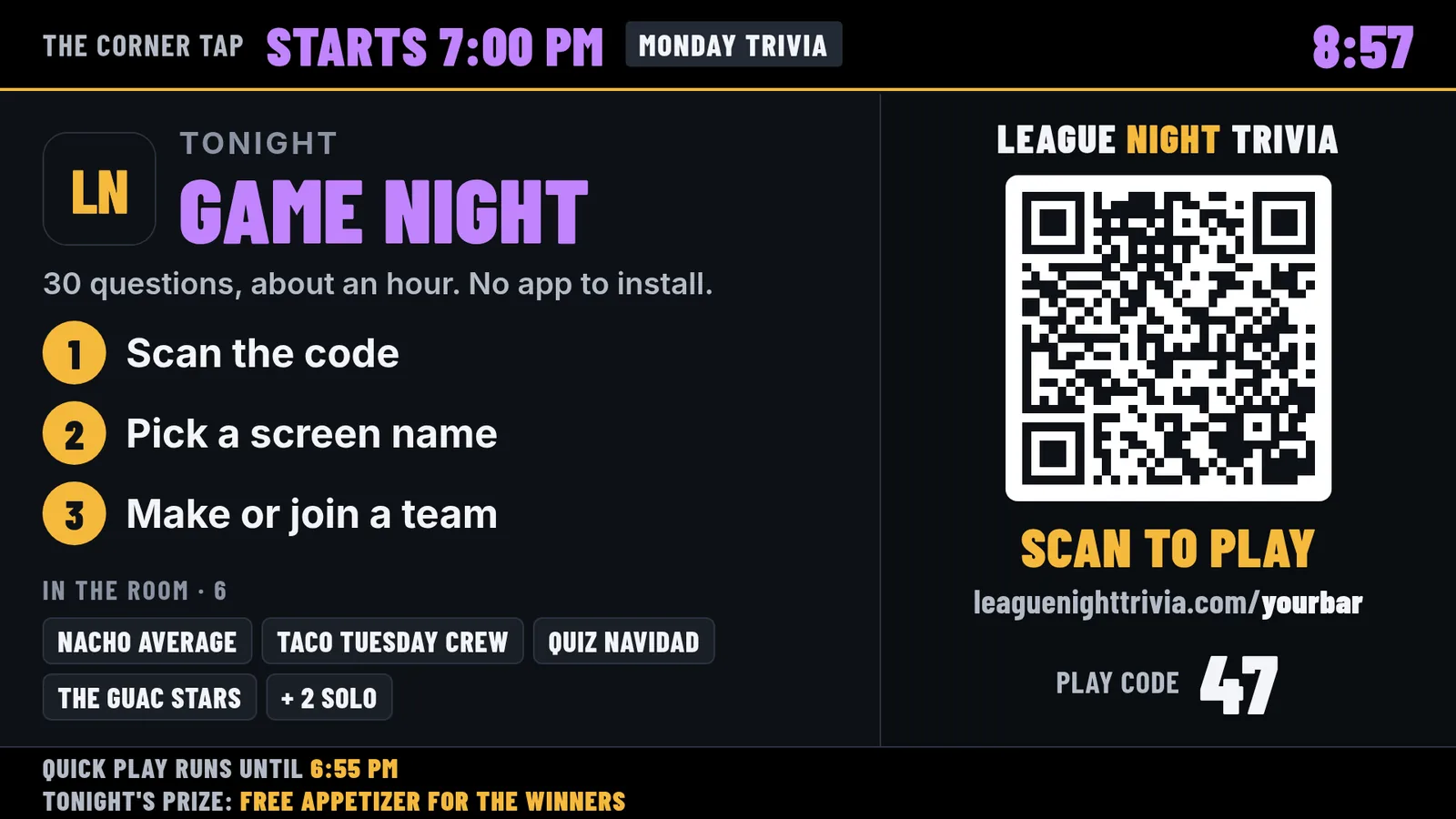
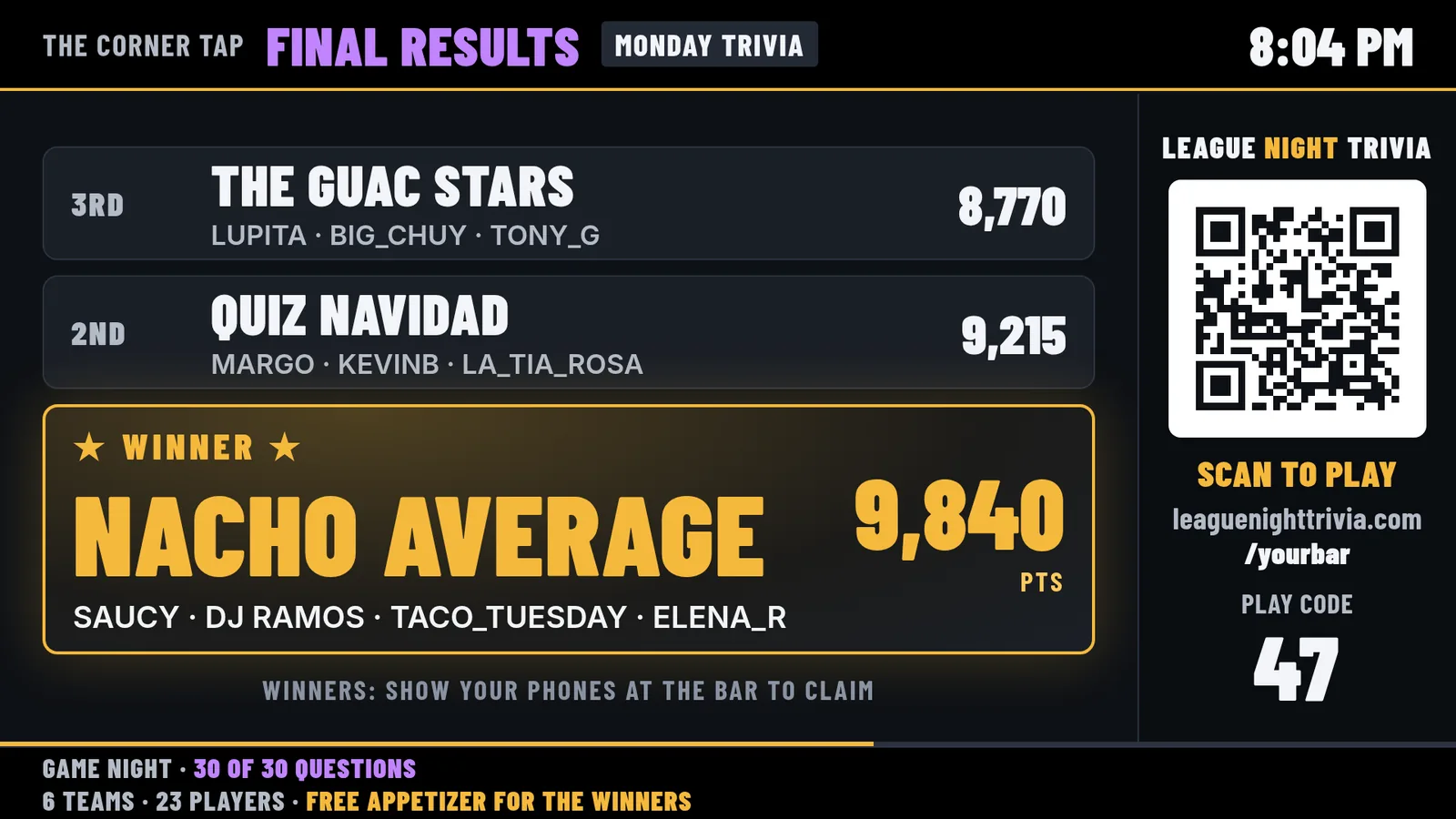
- Runs itself, works with a host if you have one. The TV paces the night, reads the questions and keeps score. Have a host you love? They get a console to pause, skip and work the room, with the questions, timing and scoring already handled.
- Any pack. Run the night on the library or on one of your custom packs; Quick Play holds those questions until the night ends so nobody sees them early.
Prizes: set it, show it on the TV, claim by phone
Create as many prizes as you want, each on its own clock: daily, weekly, monthly, or per Game Night. Pick what it's for and what the winner gets. League Night advertises it on the TV with the live leaders and the time left, crowns the winner when time runs out, and puts a claim screen on their phone. No raffle tickets, no announcing, no "did anyone win?"
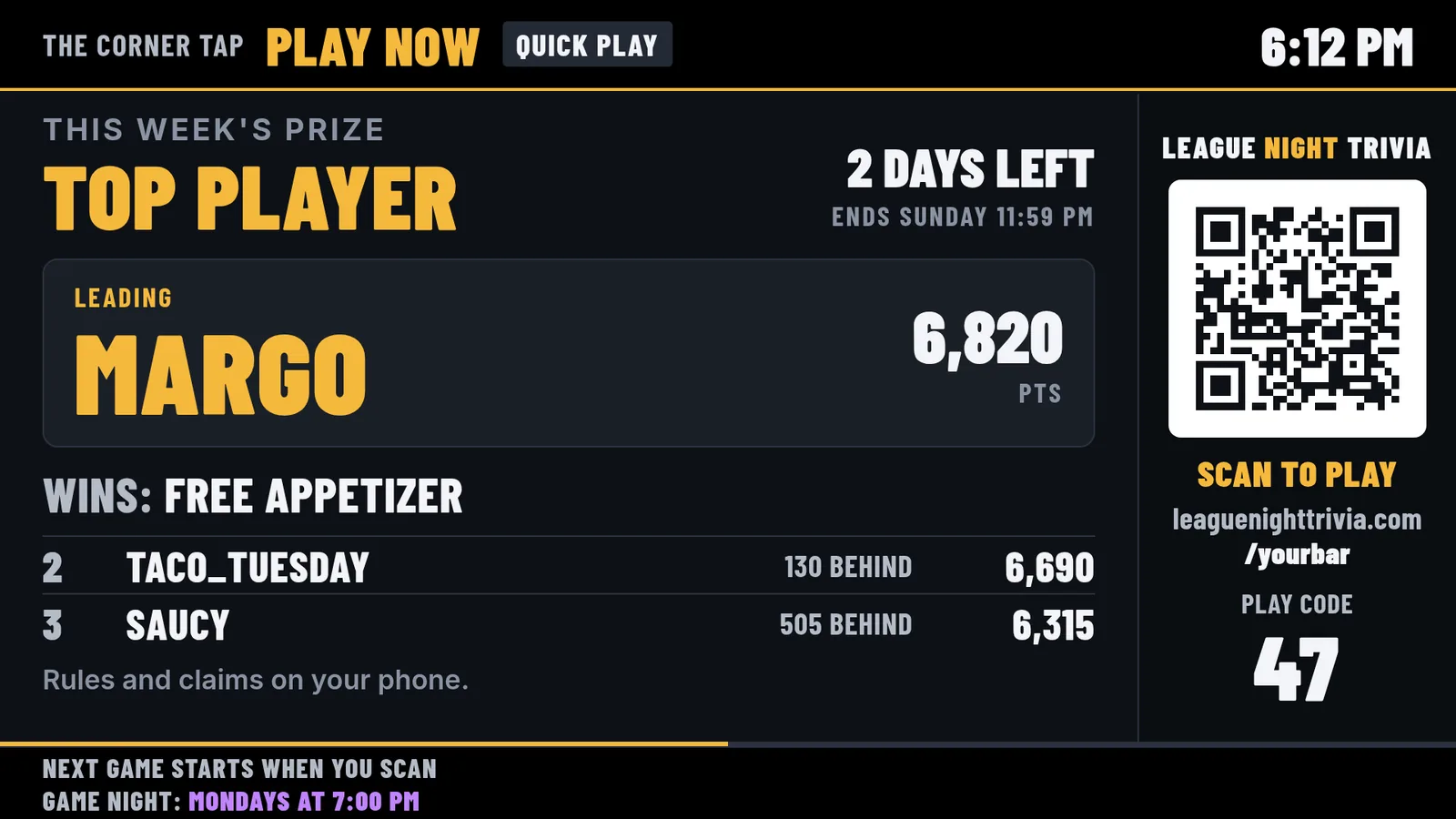
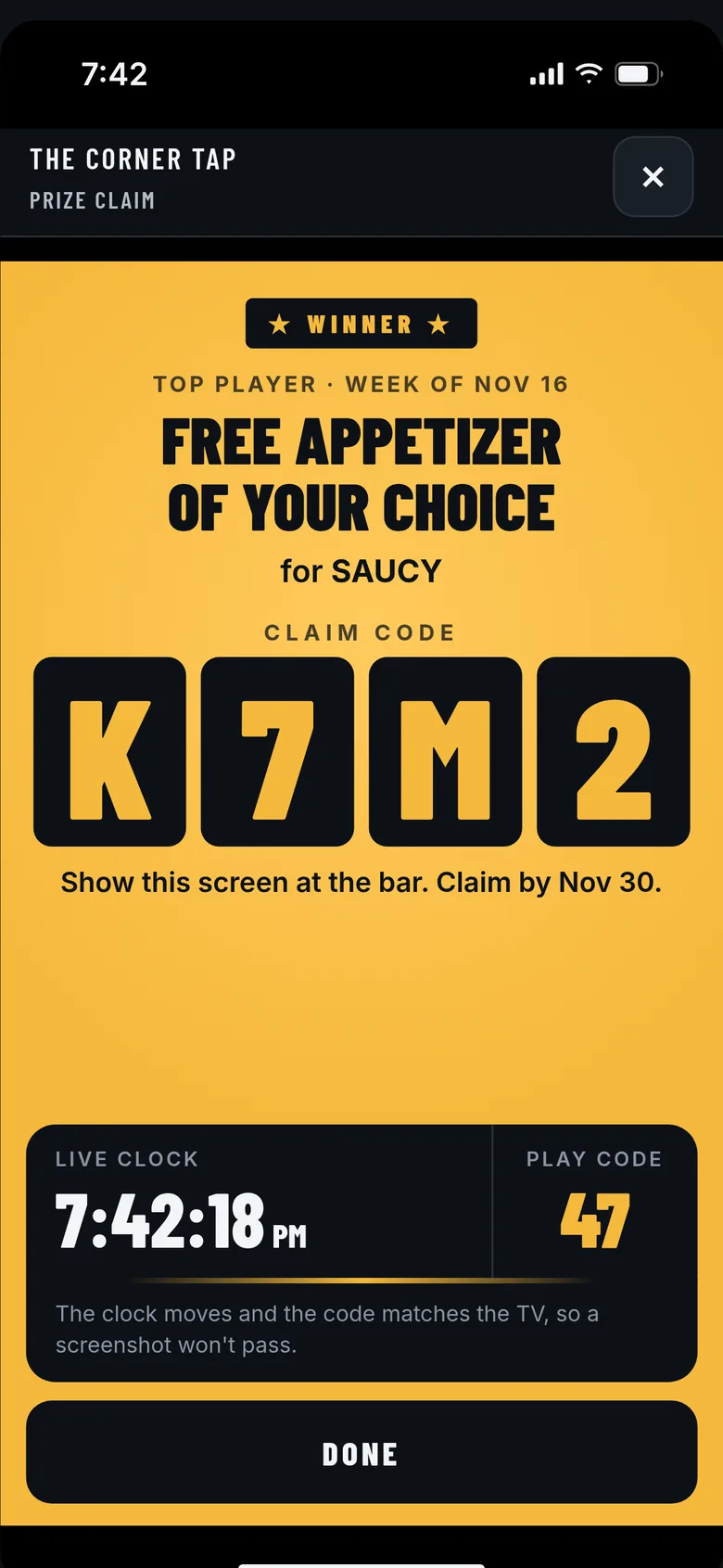
- Any prize, any winner, any period. Quick Play: top player of the day, week or month; most round wins; a perfect round; a regular who shows up most days. Game Night: tonight's winning team; most points or most wins this week or month; a perfect game; a hat trick (three wins in a row). The prize itself is yours to name: an appetizer, a gift card, or merch.
- Claims that can't be faked. The claim screen shows a code, a moving clock and the TV's current play code, so a screenshot won't pass. Staff tap once to mark it awarded; undo is right there.
- Your call, your rules. Set how long winners have to claim, how often one person can win, and a monthly cap. Your own staff never count. Every winner and what it cost, by month, on the Prizes page.
Leagues, streaks and boards
A league is the same night every week, with teams that last and standings that carry from week to week. Between rounds and between visits, the boards keep score of everything: who's leading today, this month and all time, and who's on a run right now.
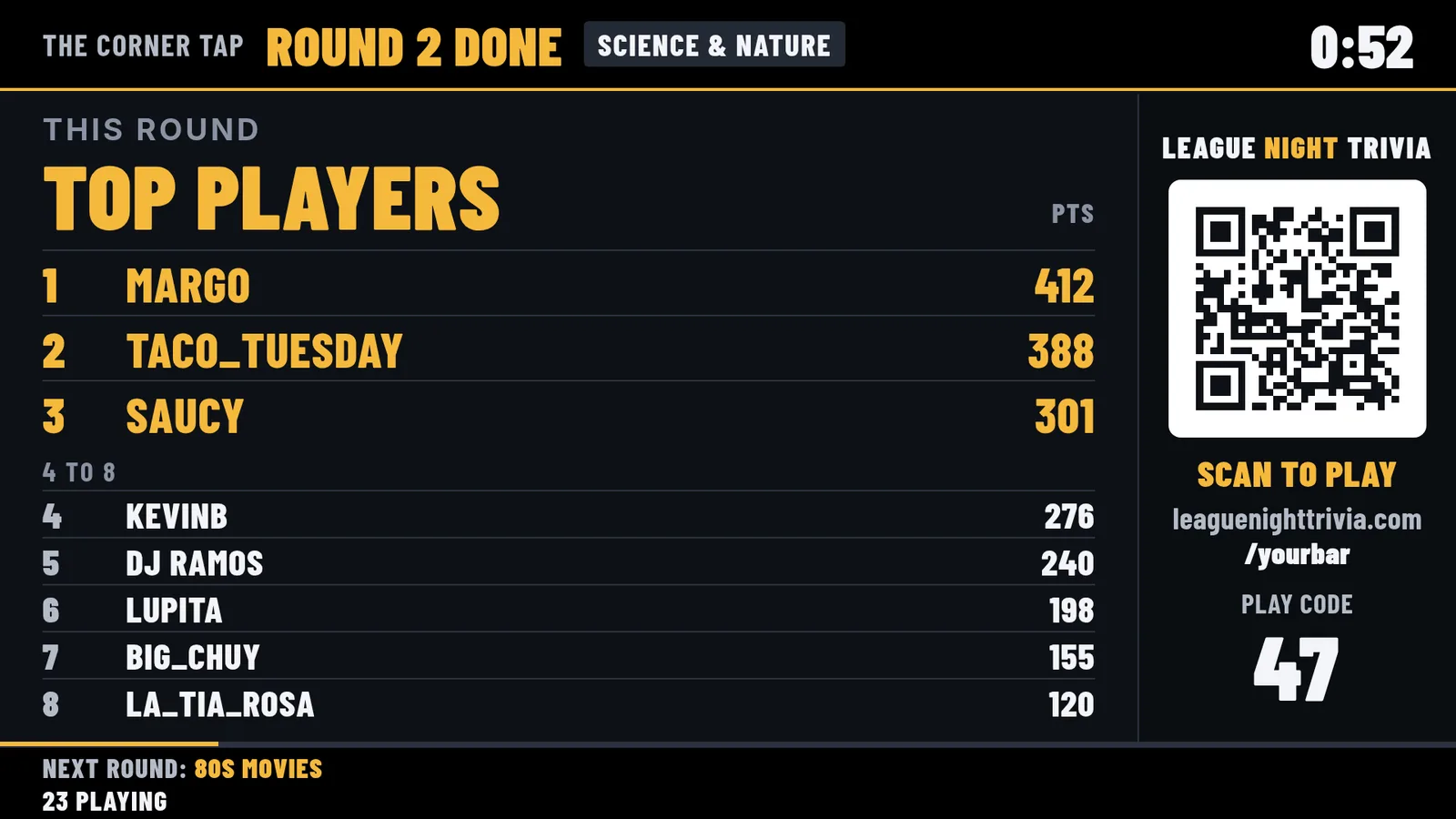
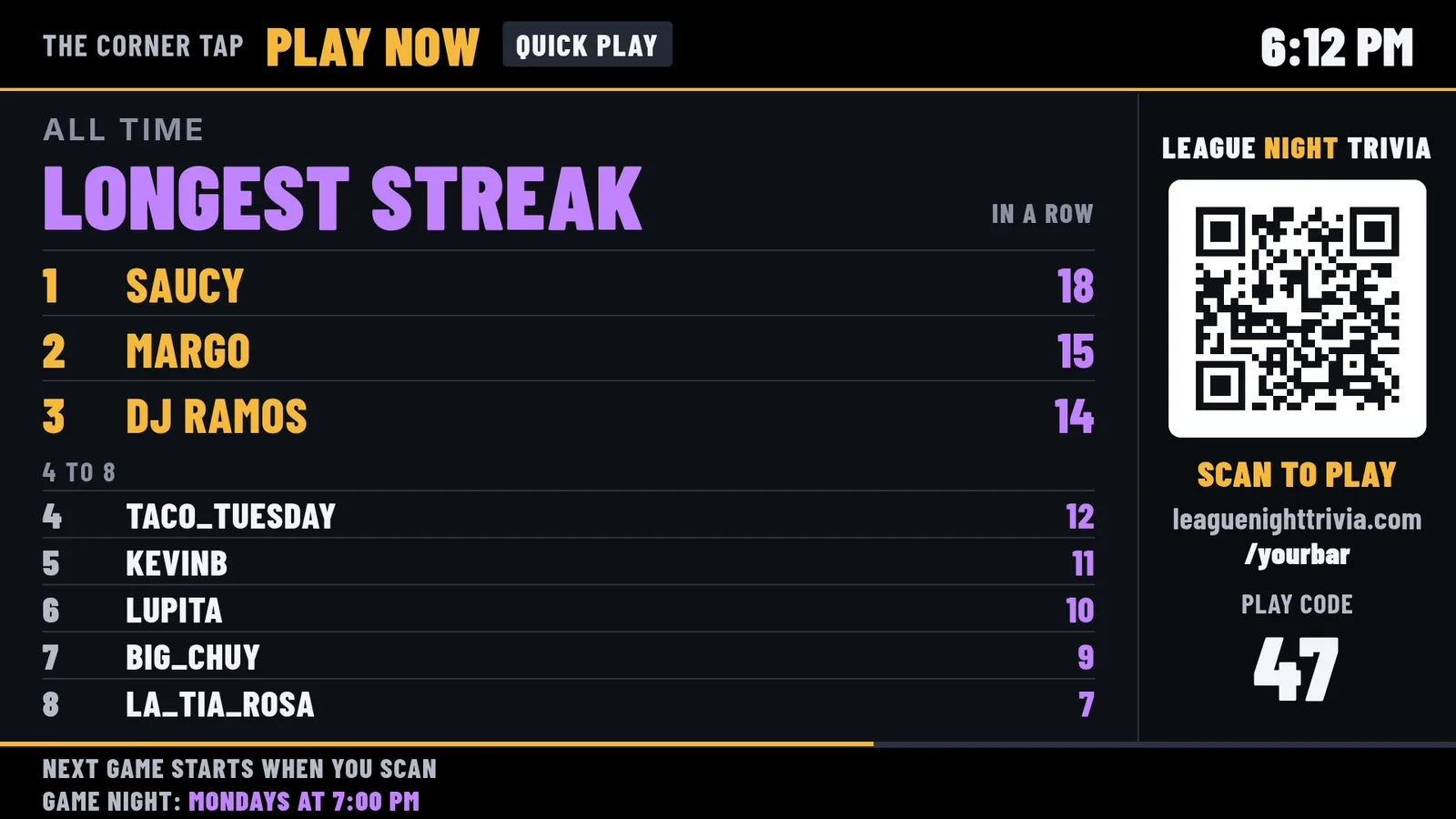
- Leagues. The same night every week, on a schedule you set. Teams keep their name from week to week, standings carry across the weeks on the TV and the phones, and no question repeats across a league at your venue.
- Streaks. Every right answer in a row counts, across visits. A player hitting 10 in a row gets named on the TV; everyone sees their own streak and their best on their phone.
- Boards. This round, today, this month, all time, longest streak, and "on fire now," rotating on the TV and always on the phone's Boards tab.
- Players know your bar. Guests sign in once and their history follows them back. Your Players page shows who's coming, how often, and exports to CSV.
No app. Scan, name, play.
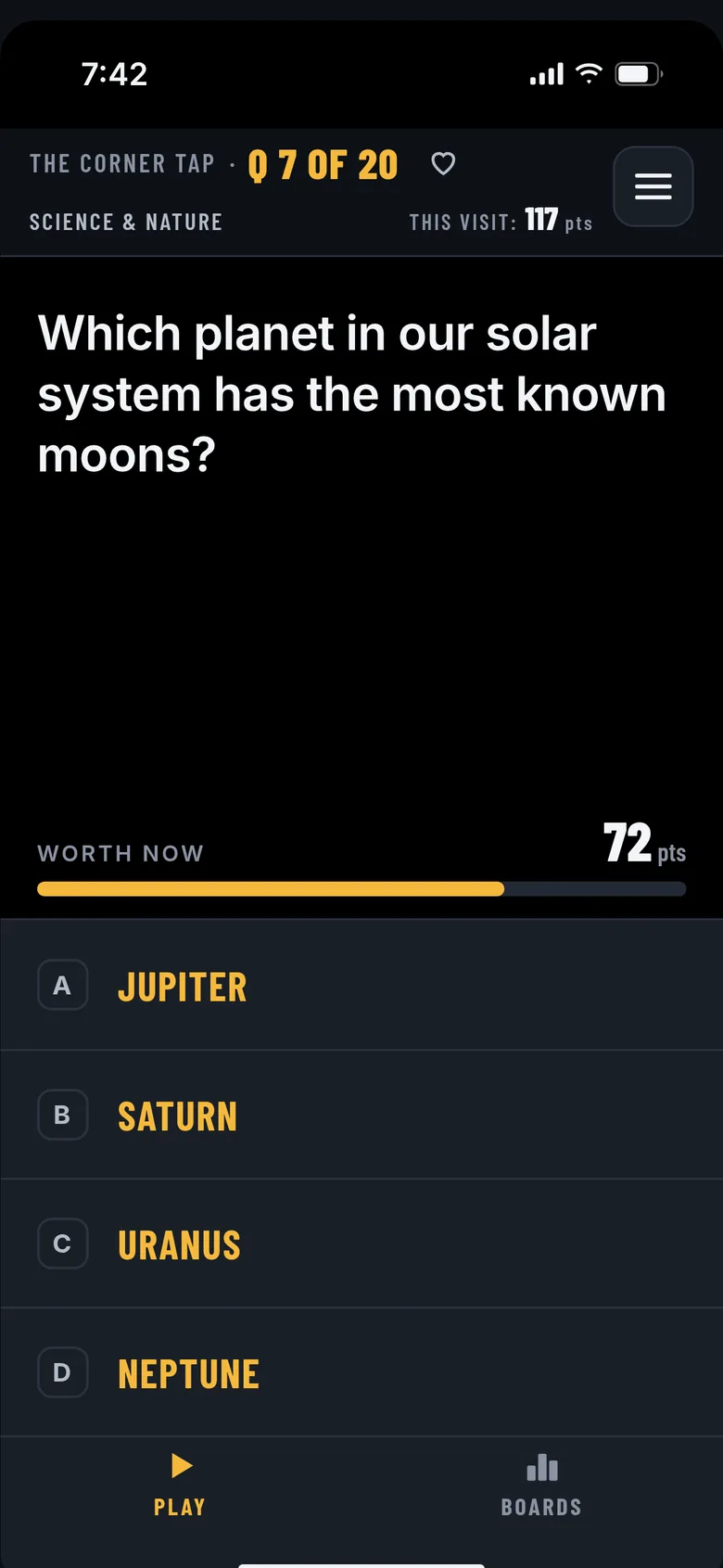
Guests scan the QR on the TV and play in their browser. The phone shows the question, a points bar that falls with the clock, their streak, and at the reveal, what they earned and their running total. It survives a refresh, a lost signal, and a trip to the bar.
- Only from inside the venue. A short code on the TV changes every couple of minutes; a scan carries it. Nobody plays from home.
- Pick the next topic. After a round, phones ask "What should we play next?" Votes land on your dashboard.
- Report a question. One tap on anything that looks wrong; it's pulled for review.
Custom trivia packs on any topic
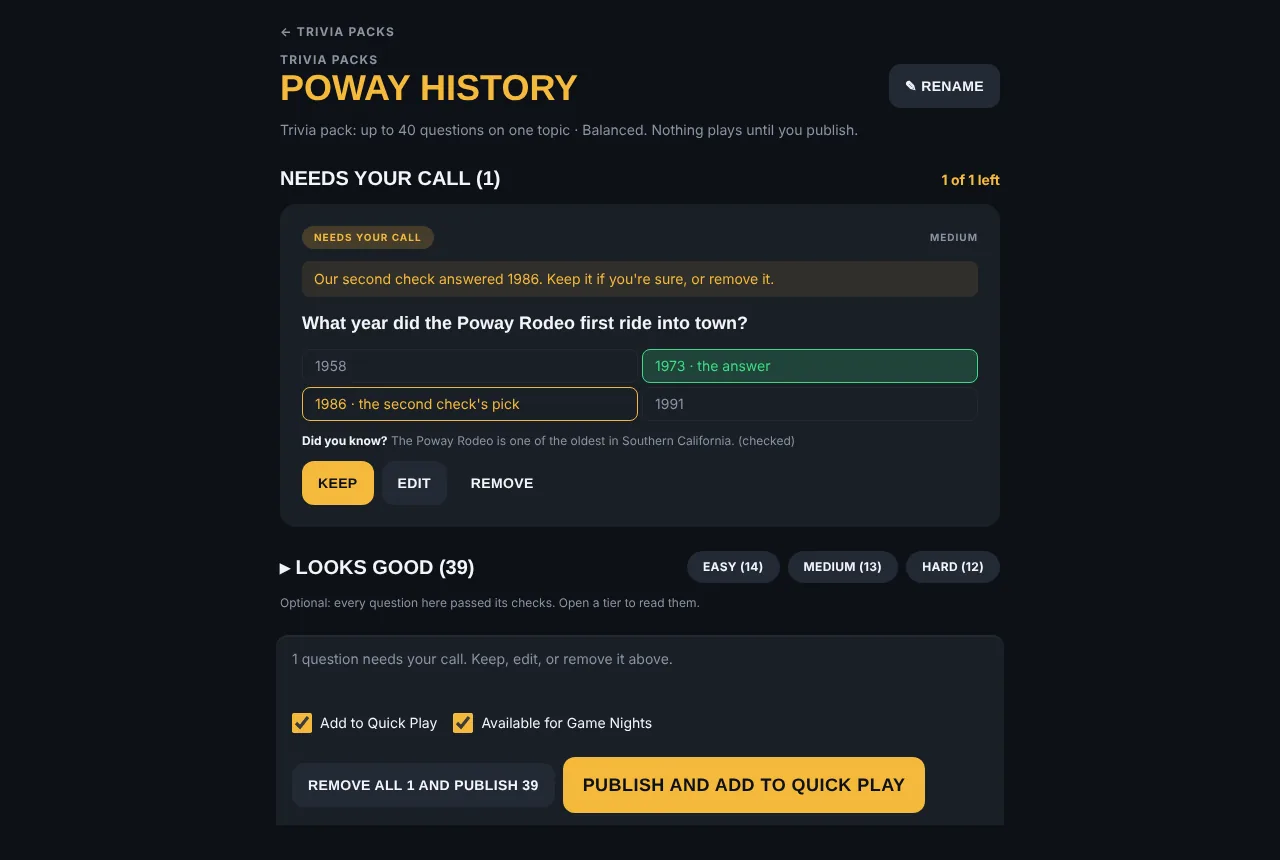
Type a topic and League Night writes up to 40 questions in about ten minutes. Each one passes a second answer, a fact check and a duplicate search; the few that don't agree are flagged for your call. One button publishes the pack to Quick Play and Game Night. One pack a month is included. How custom packs work.
Menu boards, included
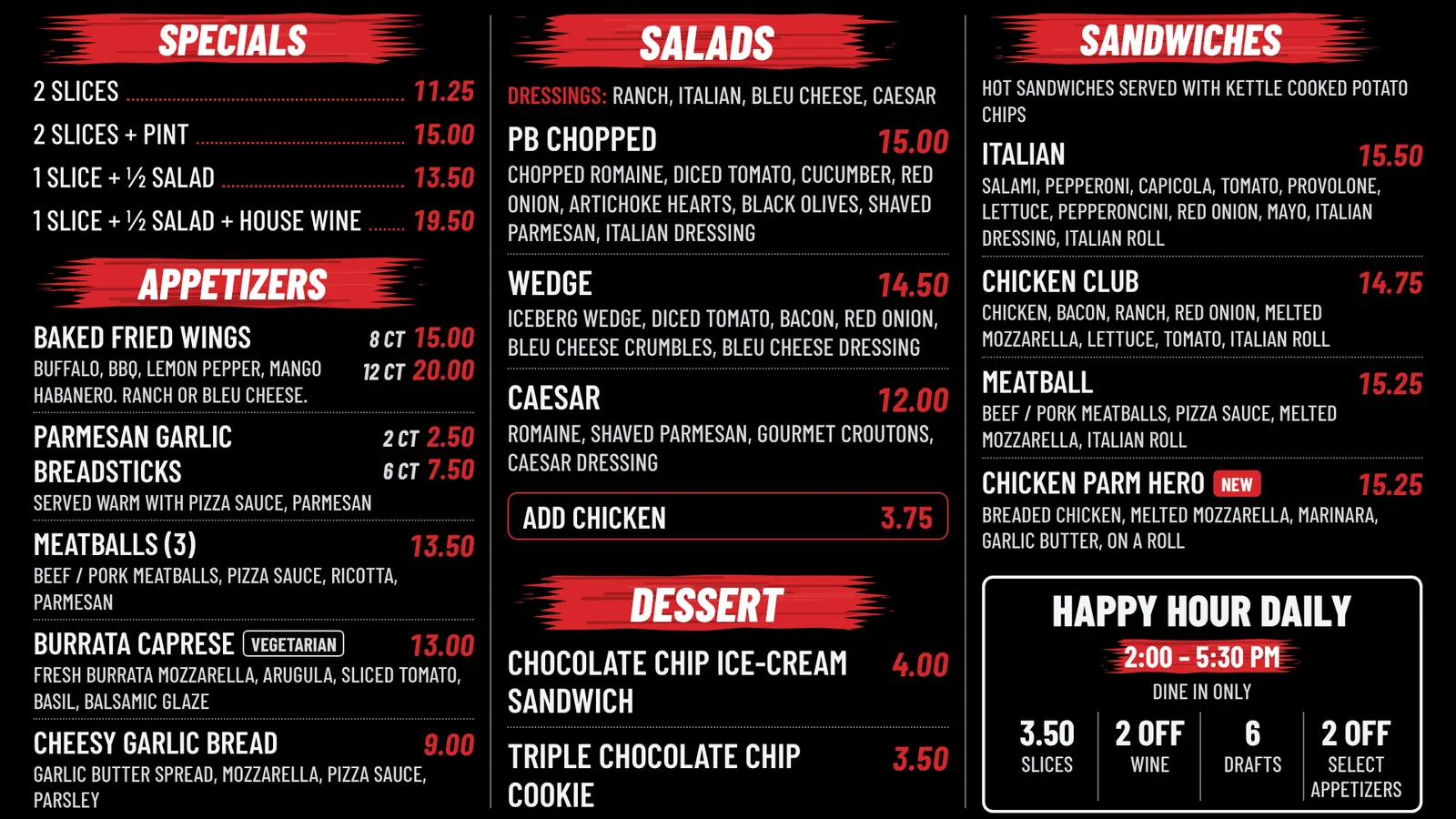
Any paired TV can show your menu instead of trivia. Upload the boards you already have, or make them editable to change a price or mark an item sold out from your phone. A small strip on each menu TV tells guests trivia is on and where to scan. More on menu boards.
Pairing, printing and keeping it running
- Pair a TV in two minutes. Use your TV's native browser, no Roku or Apple TV needed. If your TV doesn't have a built-in browser, a Fire TV Stick or a laptop over HDMI works right away. Type the code it shows into your Screens page, done. The TV keeps itself awake and picks up updates on its own.
- The First Night Guide. Five steps that check themselves off: connect a TV, run a practice round from your phone, start a Game Night, tell your regulars, know what to expect on the night.
- Marketing kit. A poster and your QR code, print-ready; a "trivia tonight" post you can copy; your join link and QR as a download.
- Alerts. A TV that goes quiet during open hours shows on your dashboard with the likeliest fixes for that device.
- Billing you control. Free for 30 days with no card to start; add a card to continue; cancel online anytime from Billing.
See it on your own TV tonight.
Pair a TV in about two minutes in the TV's own browser and run your first round before close. Quick Play, trivia nights, prizes, a monthly custom pack and menu boards, all in one plan. No demo call, no hardware. Works alongside your current host.
Free for 30 days, then $149$99 a month per venue. Every TV included. No contract.
Questions owners ask
What do I need to run it?
Your TVs and your guests' phones. Use your TV's native browser, no Roku or Apple TV needed. If your TV doesn't have a built-in browser, a Fire TV Stick or a laptop over HDMI works right away. No tablets, buzzers or apps.
Does someone have to host?
No. It runs itself: the TV reads the questions, runs the clock and keeps score. Have a host you love? Game Nights give them a console to pace the night and work the room, with the scoring already handled.
Does League Night replace my trivia host?
No. It makes your host's night bigger. Quick Play fills the quiet days and signs players up for your trivia night, reminders go out for you, and your host gets a console with the scoring handled.
Can guests play from home?
No. A short code on the TV changes every couple of minutes, so only people in the room can play. Winners claim prizes at the bar.
What if the TV loses Wi-Fi?
Menu TVs keep showing their last board, trivia TVs reconnect on their own, and you get an alert on your dashboard if a TV goes quiet during open hours.
Is everything here included?
Yes. One plan, $149 a month per venue after the free trial, every feature on this page, every TV in your venue.